

Your shared inbox, sorted where it already lives
InboxDuty classifies, tags and routes the correspondence arriving in your Outlook and Gmail shared mailboxes, and writes the result back as your own categories and labels. It never stores the email.
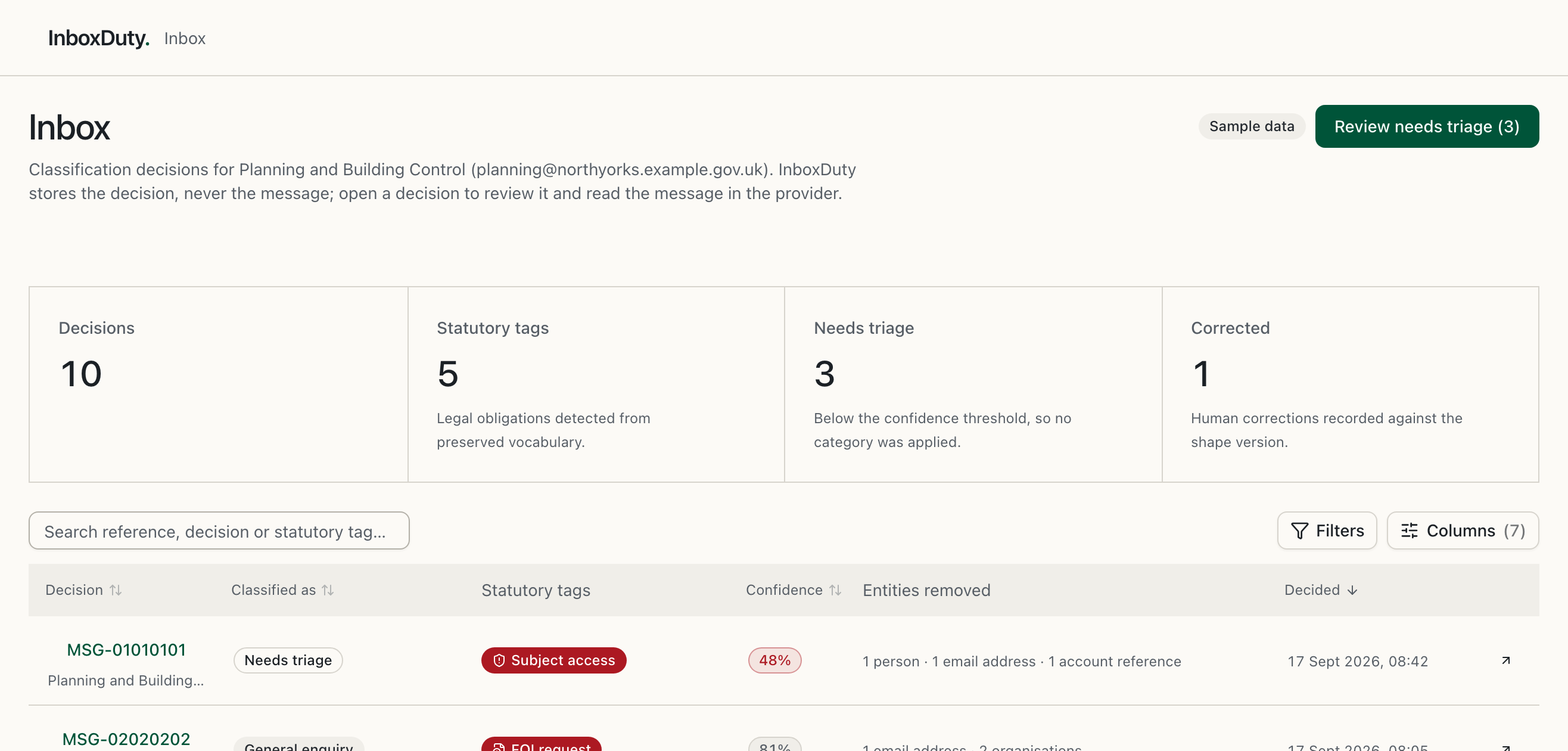
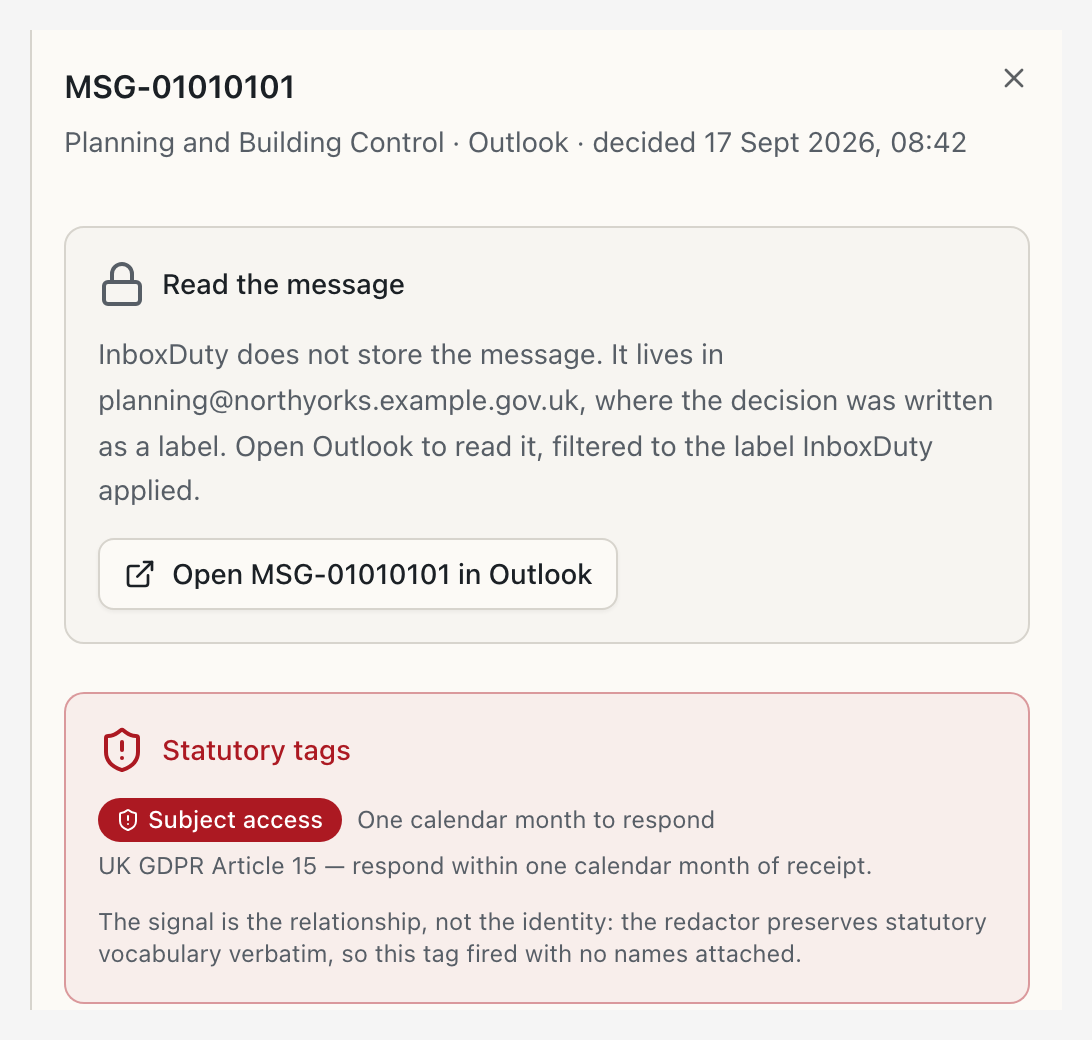
Statutory mail is flagged the moment it arrives
Subject access and freedom-of-information requests, safeguarding concerns, formal complaints and elected member or MP correspondence are separate yes-or-no judgements, so one message can raise several. The layer is on by default, and only an organisation administrator can switch it off, which leaves an audit entry.

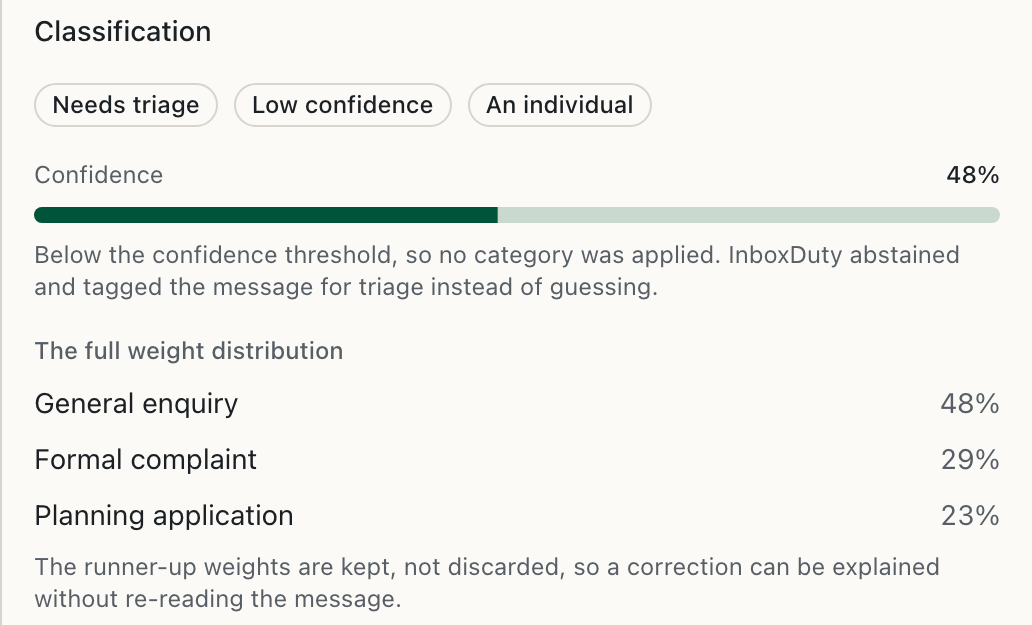
Confident, or honest that it is not
Below the confidence threshold InboxDuty applies no category. It tags the message Needs triage for a person instead of guessing, and keeps the full weight distribution behind every decision so a rule owner can see why.
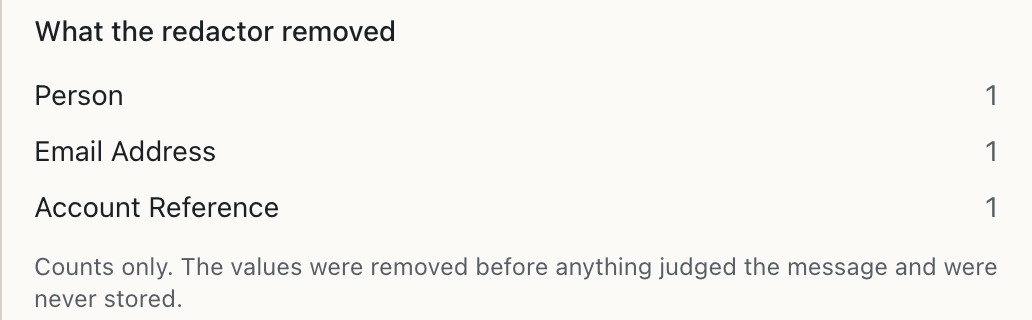
Reads your correspondence. Never keeps it.
Messages are processed transiently and discarded. Personal data is stripped before anything judges a message, and where identity cannot be removed confidently the message is not sent for classification.
What remains is a decision against a keyed identifier. To read a message, you open it in Outlook or Gmail, where it has always been.
Everything a shared mailbox needs sorting
Invisible to the people receiving mail, and a management surface for the people who define the rules.


Works where the mail already lives
InboxDuty connects to Microsoft 365 and Google Workspace shared mailboxes through each provider's own change feed, and writes back only what the provider already offers: categories, labels, flags, colours, folders and forwarding within your own domain.


Content-free
InboxDuty never stores email content. A message is read, stripped of personal data, judged and discarded, and no raw content reaches a log, queue or error path. The durable record is a decision, not the mail.

You hold the switch
Revoke InboxDuty in your own Microsoft or Google admin console and it stops at the next poll, marks the mailbox disconnected and says so. Mailbox tokens are held by self-hosted infrastructure, never by a third party.
Simple pricing per shared mailbox
Every organisation gets a 14-day trial with no card required, and the clock starts when your first mailbox connects. After that you pay per shared mailbox, at the rate set by how many you connect.

1 to 4 mailboxes
Per shared mailbox, for a team starting with one inbox or a handful
Every mailbox includes:
 Outlook or Gmail shared mailbox
- Statutory layer on by default
- Categories, labels, flags and folders
- Needs triage below the threshold
- Corrections against each decision
- Content-free weight export


5 to 19 mailboxes
Per shared mailbox, when several departments' inboxes are connected
Every mailbox includes:
- Outlook or Gmail shared mailbox
- Statutory layer on by default
- Categories, labels, flags and folders
- Needs triage below the threshold
- Corrections against each decision
- Content-free weight export
20 or more mailboxes
Per shared mailbox, across an organisation's shared inboxes
Every mailbox includes:
- Outlook or Gmail shared mailbox
- Statutory layer on by default
- Categories, labels, flags and folders
- Needs triage below the threshold
- Corrections against each decision
- Content-free weight export
Questions before you start?
What councils and registered providers usually ask first. For anything else, email [email protected]; report a security issue to [email protected].

Yes. Each organisation gets 14 days with no card required. The clock starts at your first successful mailbox connection, not at sign-up, because the person who signs up often waits on IT for mailbox permission.
No. Messages are processed transiently and discarded, and personal data is stripped before anything judges them. The security page names every party inside the trust boundary.
Not yet. A data processing agreement, a no-training term, a retention window, a processing location and a sub-processor list must be in place with the model provider first. The security page tracks each one.
Classification stops and the mailbox is no longer read. Nothing is deleted and no label already applied is undone; the inbox stays exactly as it was.
Hand the sorting to InboxDuty
Sign in with your Microsoft 365 or Google Workspace work account, link a shared mailbox and agree its rules. Fourteen days to try, no card required.